
Digital workshop for golf clubs
From the tee to the books, it’s a straight line.
We build the website and backend a golf club runs on. Members, tournaments, tee times, newsletter, mail, course, staff. Connected to PC CADDIE and the accounting software, in one backend, from anywhere.
Pull the ball back, let go. Or scroll.
Reduced motion: the flight path is shown as a drawing.
The evidence
Measured, not promised.
Five figures from one club in daily operation. Each with date and source.
- about 100pages, German and English, from our own translation enginegerhelm.de · 11 Sep 2026
- about 30English routes, each with its own URL and its own hreflanggerhelm.de · 11 Sep 2026
- 1,287recipients of newsletter issue one, sent from our own studionewsletter studio · Sep 2026
- 113tournament photos in the archive, each resized and derived to WebP automaticallyimage archive · 11 Sep 2026
- 5,465 mcourse length, 18 holes, par 72. The course whose weather, webcam and tee times the site shows liveGerhelm course data · Sep 2026
No figure on this page is an estimate. Where one is missing, you see a placeholder, not a stand-in.
The workload
A golf club is five businesses.
A sports club, a restaurant, an employer, a landlord, a taxpayer. Usually at once, usually in one office. Each area has its tool. The tools don’t know each other. What’s missing between them is called manual work: the same number, typed twice.
Members
admission · dues · direct debit · returned debit · cancellation · voting rights · member card
Play
tournaments · tee times · results · leagues · pin positions · range · green fee · guests
Food & events
till · TSE · cash book · events · caterers · seating plan
Staff
rota · time tracking · payroll · contribution statements · short-time work · leave
Money
bank · invoices · reminders · receipts · vouchers · liquidity
Tax
VAT return · DATEV · payables · receivables · GoBD · tax adviser
Public
website · newsletter · portals · weather · webcam · lost & found · privacy · accessibility
None of this is optional. The only question is whether it’s connected.
The scorecard
One club year, two rounds.
Twelve months, twelve holes. Left, the year as many clubs play it: every task a stroke. Right, the same year on a connected system. We count what has to be touched.
The left round is not a caricature. This is how good club offices work, with tools that don’t know each other.
| Month · Task | Without a system | With the system |
|---|---|---|
| 1JanuaryDues run |
|
|
| 2FebruaryAGM |
|
|
| 3MarchSeason prices |
|
|
| 4AprilTournament calendar |
|
|
| 5MayTournament photos |
|
|
| 6JuneSeasonal staff |
|
|
| 7JulyReceipts |
|
|
| 8AugustTeam match days |
|
|
| 9SeptemberReturned debits |
|
|
| 10OctoberCourse and pins |
|
|
| 11NovemberYear end |
|
|
| 12DecemberCancellations |
|
|
| TotalThe same year | 53 | 14 |
53 strokes against 14. We count steps, not hours. We haven’t measured hours, so we don’t quote them.
The system map
The holes are our systems. The fairways are the data.
Fourteen systems as they run at one club. Pick one: the fairways attached to it light up, and next to it you read what actually flows. The boxes aren’t the work. The connections are. The most valuable one leads to PC CADDIE.
The holes
1 Club website
Tournaments, prices, tee times, weather, pin positions from the same data as the backend. A changed price is the same price on the page, in the contract and in the dues calculator.
2 PC CADDIE
The club’s system of record. Read every night, never written to. What it says holds everywhere: members, tee times, tournaments, handicaps.
3 Members and contracts
Join online or at the desk, SEPA mandate, withdrawal notice by place of signing, cancel button under § 312k BGB. A cancellation writes the confirmation and ends the subscription in the accounting software.
4 Tournaments and results
Calendar and results from PC CADDIE, live scoring, league tables, photo archive. When a federation publishes a match day, the news item writes itself.
5 Tee times and courses
Tee-time board, sign-up for tournaments and courses with the member’s own PC CADDIE account, right on the website. No second login.
6 Newsroom
News items with type, date and expiry, automatic match-day reports, featured cards. A language model polishes the text, but only if every number comes from the results.
7 Newsletter studio
Drag blocks, preview for desk and phone, dark mode, checklist before sending. Recipients from the PC CADDIE ledger or from confirmed consents.
8 Mail automation and inbox
Fifteen templates with triggers, each editable, individually switchable, each logged. An inbox with thread view files replies to the case.
9 Greenkeeper app
Pin positions per green in sectors, course status, set by the greenkeeper on the phone. Live on the website and in the scorecard at once.
10 Staff app
Time clock, receipts photographed with cropping and fuel-receipt split, mileage log with location, tournament photo upload. Everything lands where it belongs.
11 Watch app
The scorecard on the wrist, in the App Store. Stableford and stroke play, par and length per tee colour from the website’s official scorecard.
12 Vouchers and calculators
Voucher shop with its own redemption page, green fee calculator, dues calculator. Every figure from the same maintained price source.
13 Accounting software
easybill or BuchhaltungsButler write the invoices. We connect: dues invoices from the member ledger, subscriptions mirrored, payments read back. Fully automatic on request.
14 Portals and weather
DGN, Golfamore, our own weather station, webcam. What comes from there is read and shown. Nothing is maintained twice.
The fairways
- PC CADDIE Members and contracts: member ledger, every night
- PC CADDIE Tournaments and results: calendar, results, sign-up
- PC CADDIE Tee times and courses: tee times, handicap, login
- PC CADDIE Newsletter studio: recipients on membership grounds
- Members and contracts Accounting software: dues invoice and subscription
- Accounting software Members and contracts: payment status to the member
- Members and contracts Mail automation and inbox: contract, welcome and cancellation mail
- Members and contracts Club website: prices, dues calculator, contract path
- Tournaments and results Club website: results and photos
- Portals and weather Tournaments and results: match days from the federation
- Tournaments and results Newsroom: match-day report, automatic
- Newsroom Club website: news items to the home page
- Staff app Tournaments and results: tournament photos
- Staff app Accounting software: receipts into accounting
- Greenkeeper app Club website: pin positions, course status
- Club website Watch app: course data from the official scorecard
- Vouchers and calculators Club website: voucher shop and calculators
- Portals and weather Club website: weather, webcam, Golfamore
- Tee times and courses Club website: tee-time board, course booking
The workbench
Solved where others look away.
Six places where the industry buys a plugin or leaves the problem alone. We built them. Each with the proof, not the buzzword.
PC CADDIE stays. We build around it.
Club administration runs on PC CADDIE, as at most clubs. We don’t replace it, we read it: the member ledger mirrored every night, tournament calendar and results live, tee times and handicap through the interface, recipients for club notices straight from the ledger. Tournament and course sign-up with the member’s own PC CADDIE account, on the club website. We write nothing into PC CADDIE; that stays with the office. No second member ledger, no double entry.
Whoever wants to replace PC CADDIE is selling a project. Whoever connects it delivers a system.
One backend for everything, from anywhere
Website, news, members, tournaments and courses, course, service, newsletter, prices, settings: one backend in the browser, one login, from any device, nothing to install. Accounts with roles and areas: the team captain sees tournaments and newsletter, the office sees everything. The greenkeeper sets the flags on the phone, the service staff clock in and photograph receipts in the staff app.
Nothing lives on a PC in the office. Everything lives in one place, and that place is everywhere.
Two languages, one truth
About 100 pages in German and English, about 30 English routes. Translated by our own engine with our own guards: a sentence cutter that collects sentences, a dictionary for everything it rejects, a backlog list, a warm-up run. No translation service, no third-party script, no flag widget. hreflang, canonical and breadcrumbs are generated in one place; the BreadcrumbList is read from the visible navigation, so display and markup can never drift apart.
Buy languages as a plugin and you own two pages that contradict each other. We have one that is right twice.
No cookie banner, because there is nothing to confess
Nothing comes from other servers: no CDN, no Google fonts, no map service, no tracker, no embedded video. So no consent dialog, no legal exposure, no lost half second. Even image formats we handle ourselves: a WebP switch in .htaccess serves the modern format at the same URL, with Vary: Accept, instead of renaming files. Five images went from 979 KB to 107 KB without breaking a single reference in the markup.
A cookie banner is an admission that a site does things it has to explain. Ours doesn’t.
This course, now
Our own weather station on the grounds, a webcam, course status. The greenkeeper app: pin positions per green drawn in sectors, set by the greenkeeping crew on the phone, live on the website and in the scorecard at once. Tee times, live tournament scoring. The digital scorecard as a web app on the website and as the club’s own Apple Watch app in the App Store.
The website doesn’t show pictures of a golf course. It shows this course, now.
Law as a function, not a footnote
Accessible under the German Accessibility Act (BFSG) from day one. A digital contract path with SEPA mandate, withdrawal notice depending on where the contract is signed and a cancel button under § 312k of the German Civil Code; the same path at the desk in the office, with a printed form and confirmed signature. Versioned price editions, so every contract knows its price list. The attitude behind it in one detail: the voucher shop’s structured data reports “out of stock” the moment a purchase would fail. Rather than promising the search engine something the till won’t honour.
For us, laws are requirements in the code, not a page in the footer.
Mail that writes itself
The automation studio: fifteen outgoing emails with triggers, from the login link to the cancellation confirmation, each editable in the backend, individually switchable, each logged. Match-day reports arise from the federation result by themselves; a language model polishes them, but only if every number comes from the results. The newsletter studio with blocks, preview, dark mode and checklist; issue one went to 1,287 recipients. Two kinds of mailing with two legal bases: club notices to the PC CADDIE ledger, newsletters only with confirmed consent, its own sender subdomain. An inbox with thread view files replies to the case.
The office reads mail. It no longer types it.
Interfaces instead of accounting
We don’t build accounting. easybill or BuchhaltungsButler write the invoices; we connect: dues invoices from the member ledger, subscriptions mirrored, payments and returned debits read back, receipts from the staff app filed. Fully automatic on request. The accountant works in the software they know. Running costs: from the third year, €1,000 a year.
Standard software where it is good. Own builds where none exists.
Count it.
- Third-party servers contacted
- –
- Files loaded
- –
- Cookies set
- –
- Consents required
- 0
- Third-party scripts
- –
Measured right now, with your browser’s performance interface. If anything came from outside, it would show here.
No consent required. No data leaving. No waiting on someone else’s server.
All files loaded
Two versions, two addresses.
This page exists twice, each with its own address. No script swaps text. The browser loads a different page.
- clubkontor.de/ German version
- clubkontor.de/en/ English version
- Built on the club and its routines, all connected.
- We build what doesn’t exist.
- Operation, not a project, at a fixed price.
The work
Built, running, verifiable.
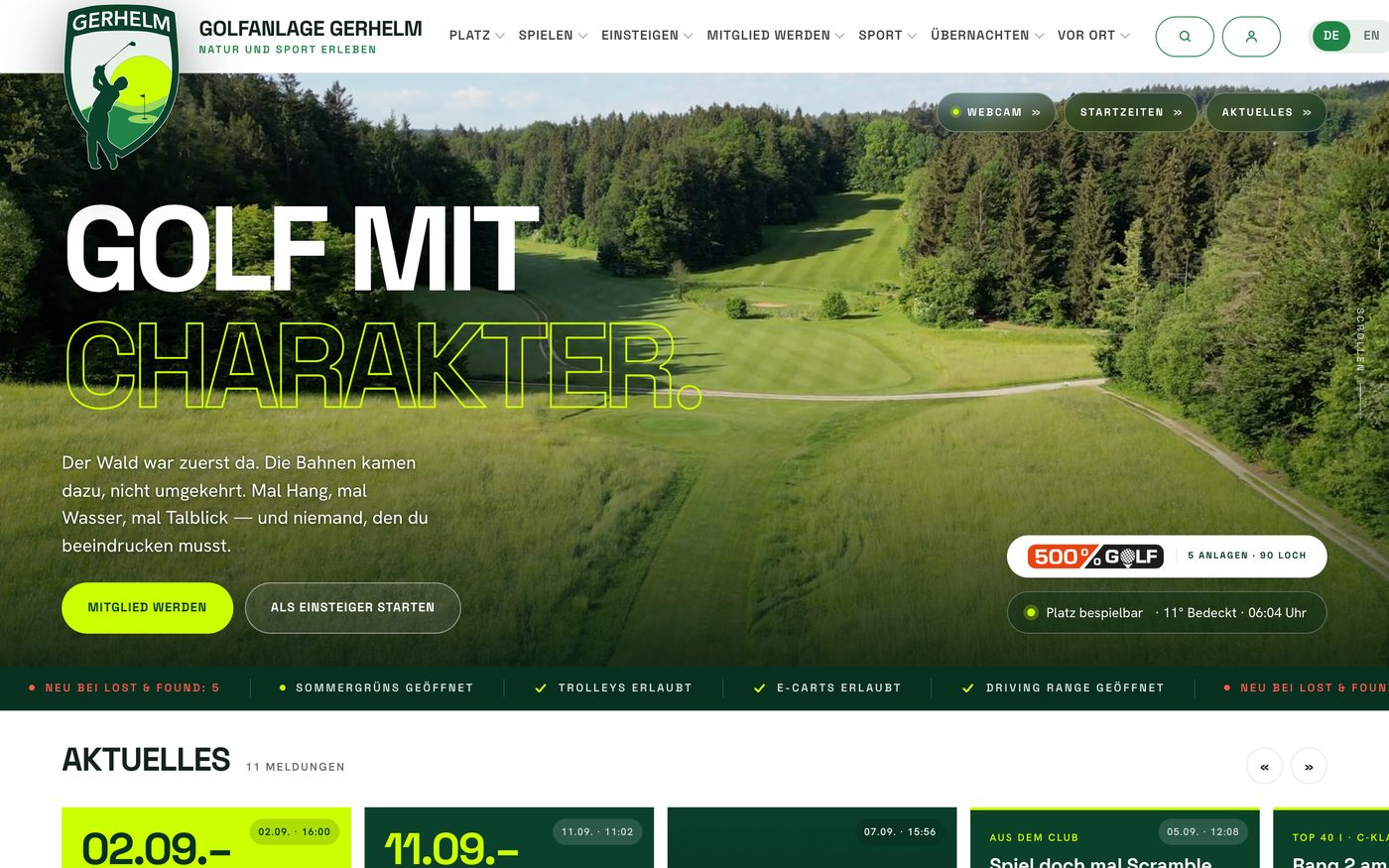
gerhelm.de
A golf club’s website with its own backend: tournaments, versioned prices and contracts, voucher shop, lost & found, image pipeline, member area, newsletter. Relaunched 2026, no site builder.
- PHP
- own translation engine
- WebP switch
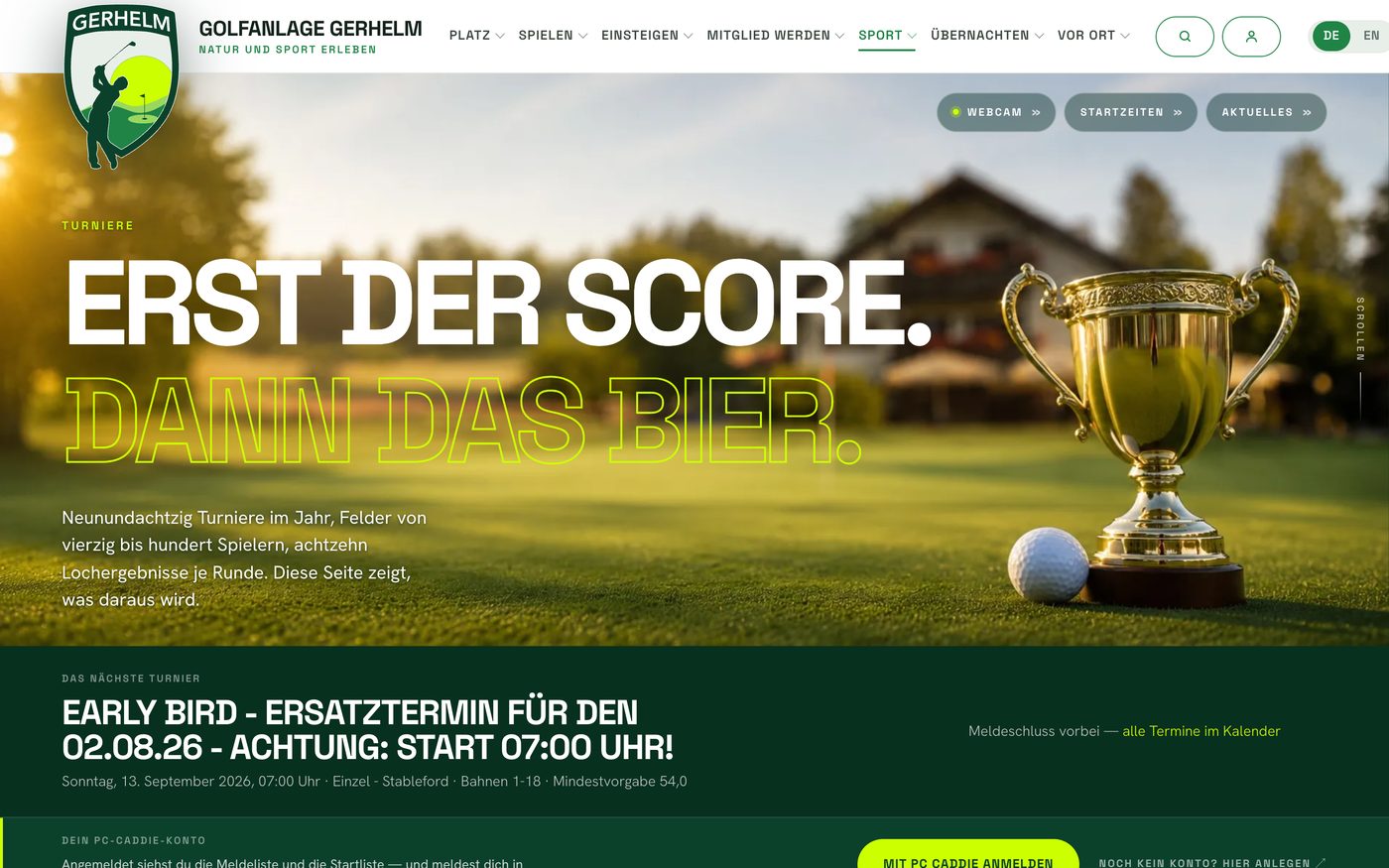
PC CADDIE connection
Tournaments, results, tee times, course booking, member ledger, handicaps: read from PC CADDIE, shown on the website, never maintained twice. Sign-up with the member’s own PC CADDIE account.
- REST interface
- nightly mirror
- read only
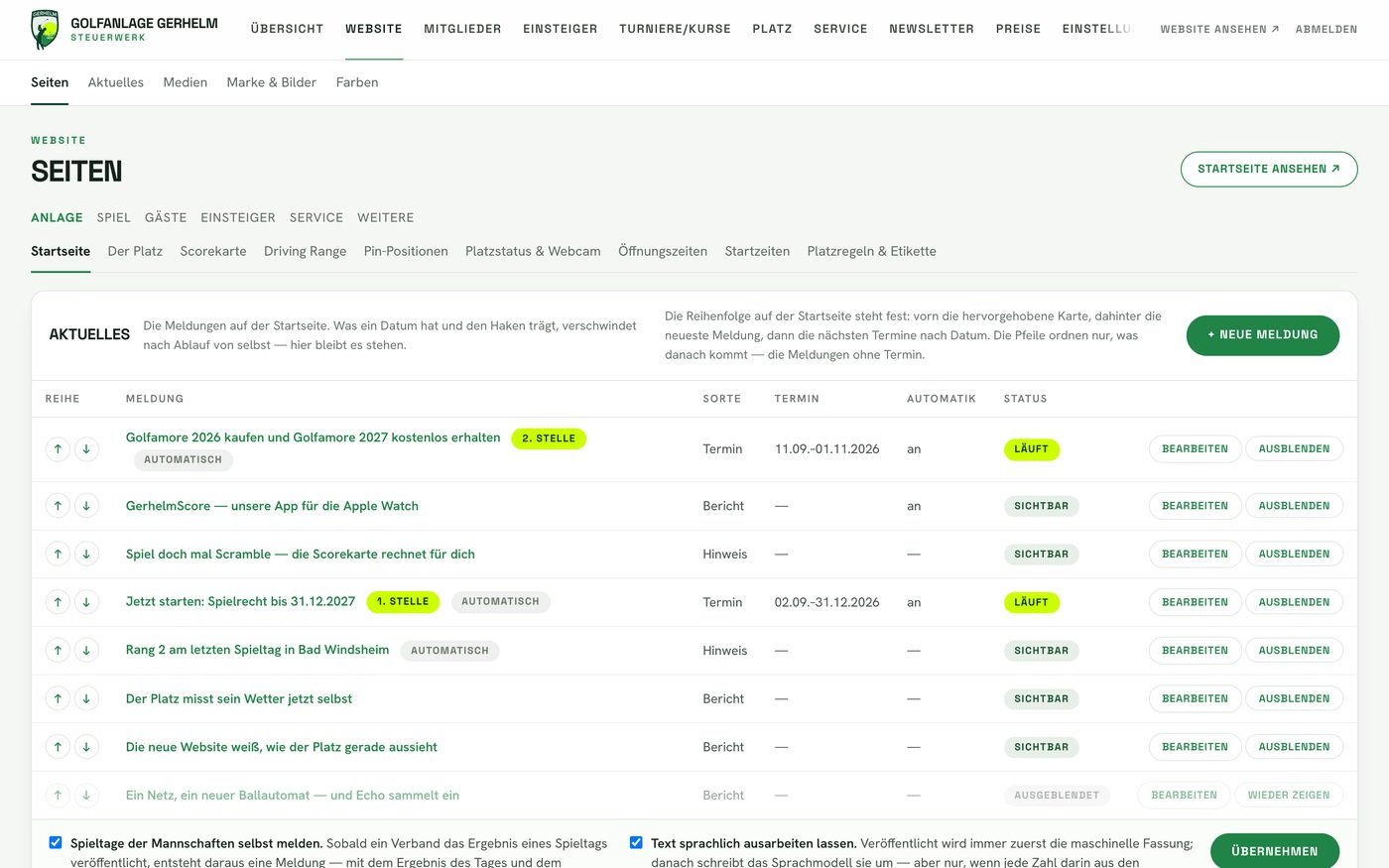
The backend
One backend for the whole club: website, news, members, tournaments, course, service, newsletter, prices, settings. In the browser, from anywhere, with roles per account. Shown here: the newsroom with automatic match-day reports.
- PHP · SQLite
- roles and areas
- nothing to install
access for clients
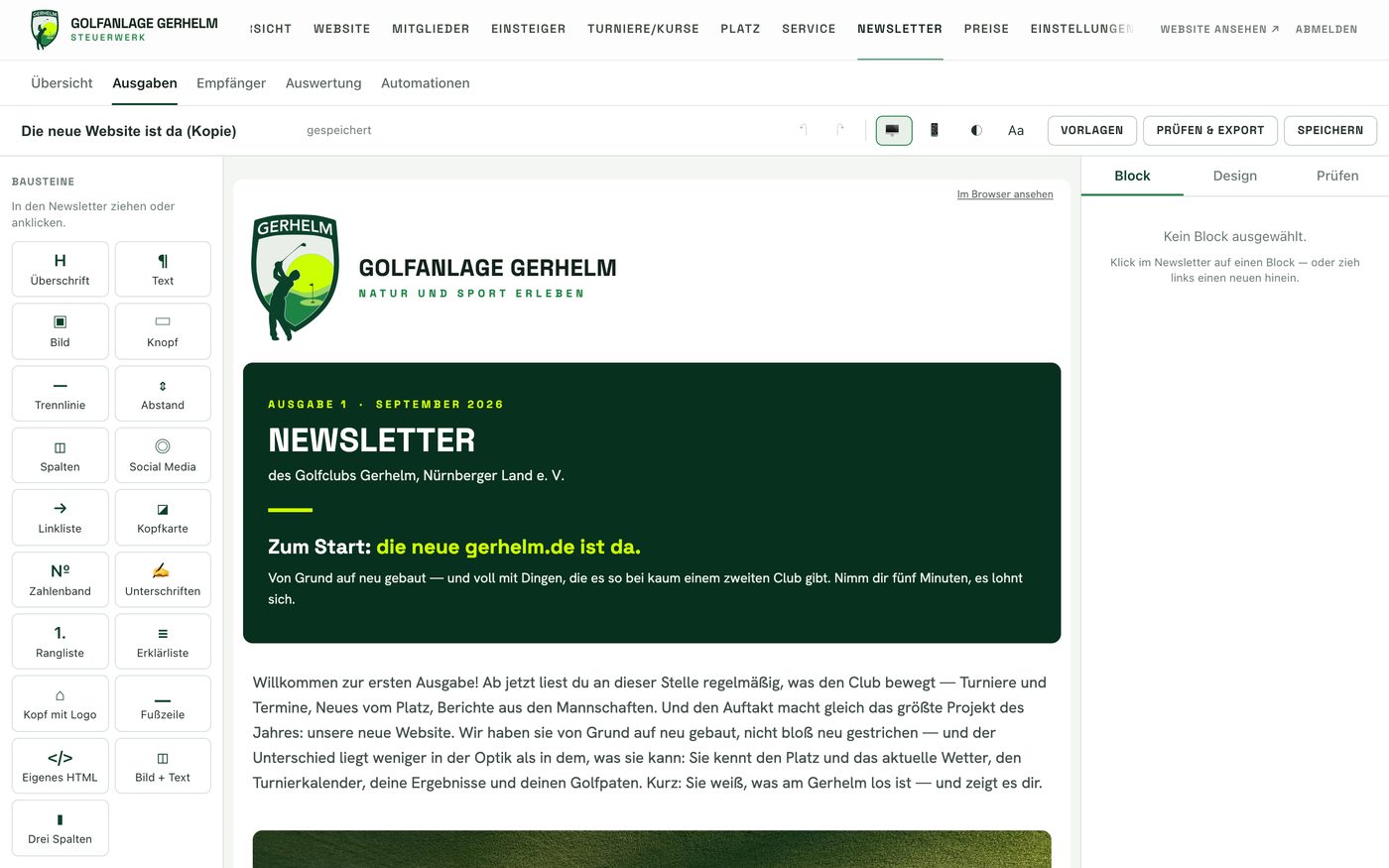
Newsletter studio
Drag blocks, preview for desk and phone, dark mode, checklist before sending. Recipients from the PC CADDIE ledger or from confirmed consents, its own sender subdomain, public web view without login.
- blocks
- two legal bases
- analytics
in the backend
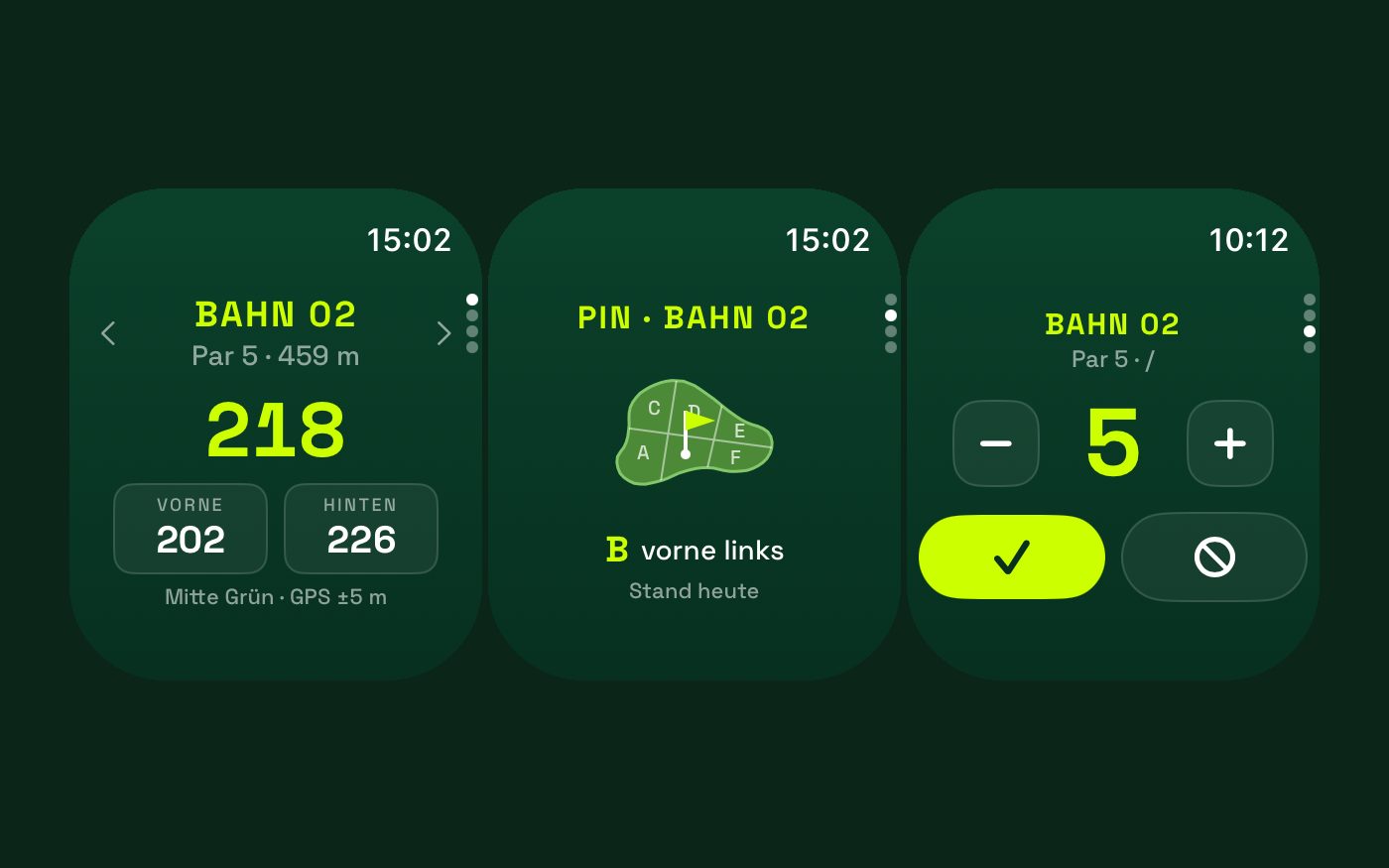
Watch app
The scorecard on the wrist: the club’s own Apple Watch app in the App Store, Stableford and stroke play, par and length per tee colour from the official scorecard. Plus the digital scorecard as a web app at gerhelm.de/runde, playable offline, via QR code in the cart and on the first tee.
- watchOS · Swift
- App Store
- web app offline
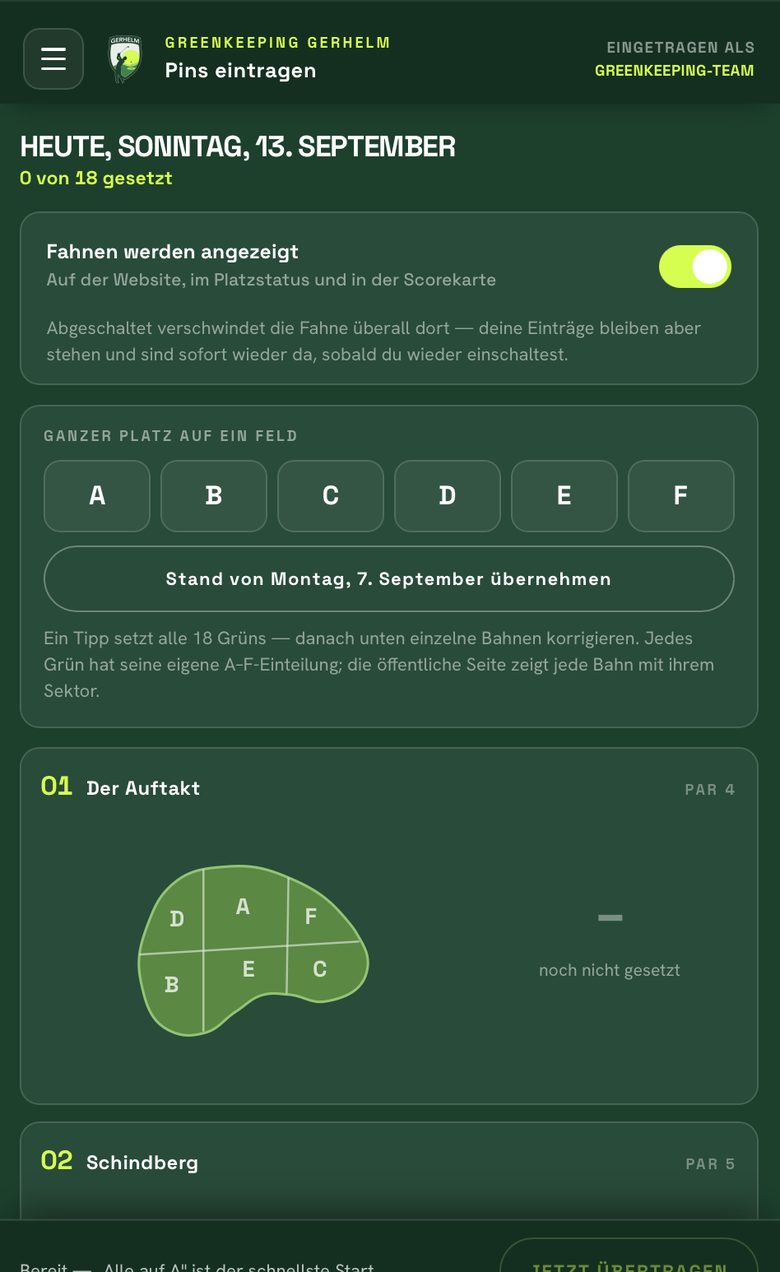
Greenkeeper app
Pin positions per green in sectors following the template, course status. The greenkeeper sets them on the phone, with a personal permanent link instead of a password. Website and scorecard show them at once.
- phone app
- permanent link
- sectors A to F
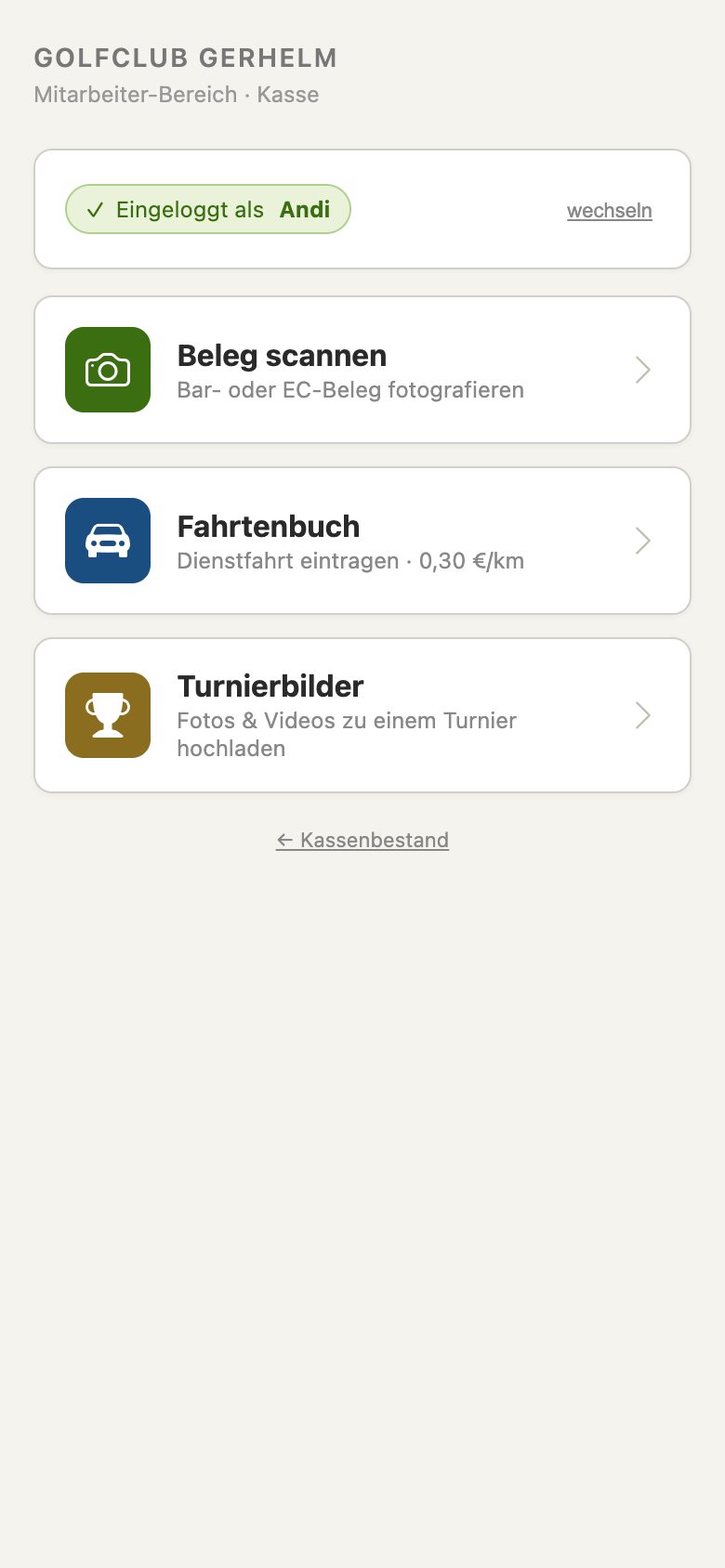
Staff app
Time clock, receipts photographed with automatic cropping and fuel-receipt split, mileage log with location, tournament photos and videos uploaded to a tournament. PIN instead of password, on any phone.
- receipt scan
- mileage log
- tournament photos
internal
Contract path
Three ways to join, one contract: online with SEPA mandate and withdrawal notice, at the desk in the office with a printed form and confirmed signature, cancellation by button. Every contract knows its price edition.
- § 312k BGB
- SEPA mandate
- versioned prices
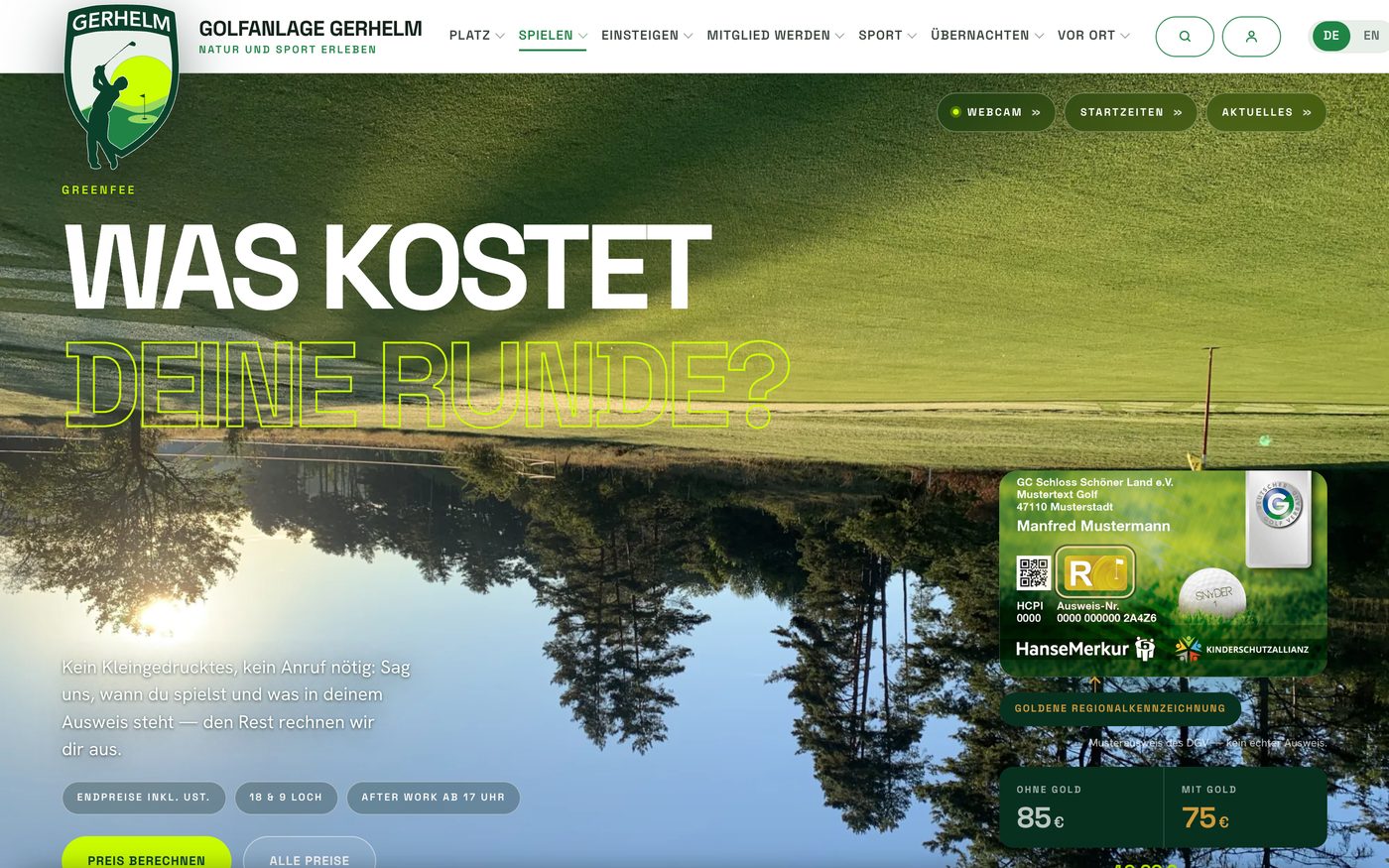
Green fee and dues calculators
Two calculators on the club website: green fee by day, round and rate; membership dues from 14 rates and four payment modes with a break-even chart. The result card sticks next to the form. Every figure comes from the same maintained source as contract and price list; no figure exists twice.
- one price source
- versioned editions
- works without JavaScript
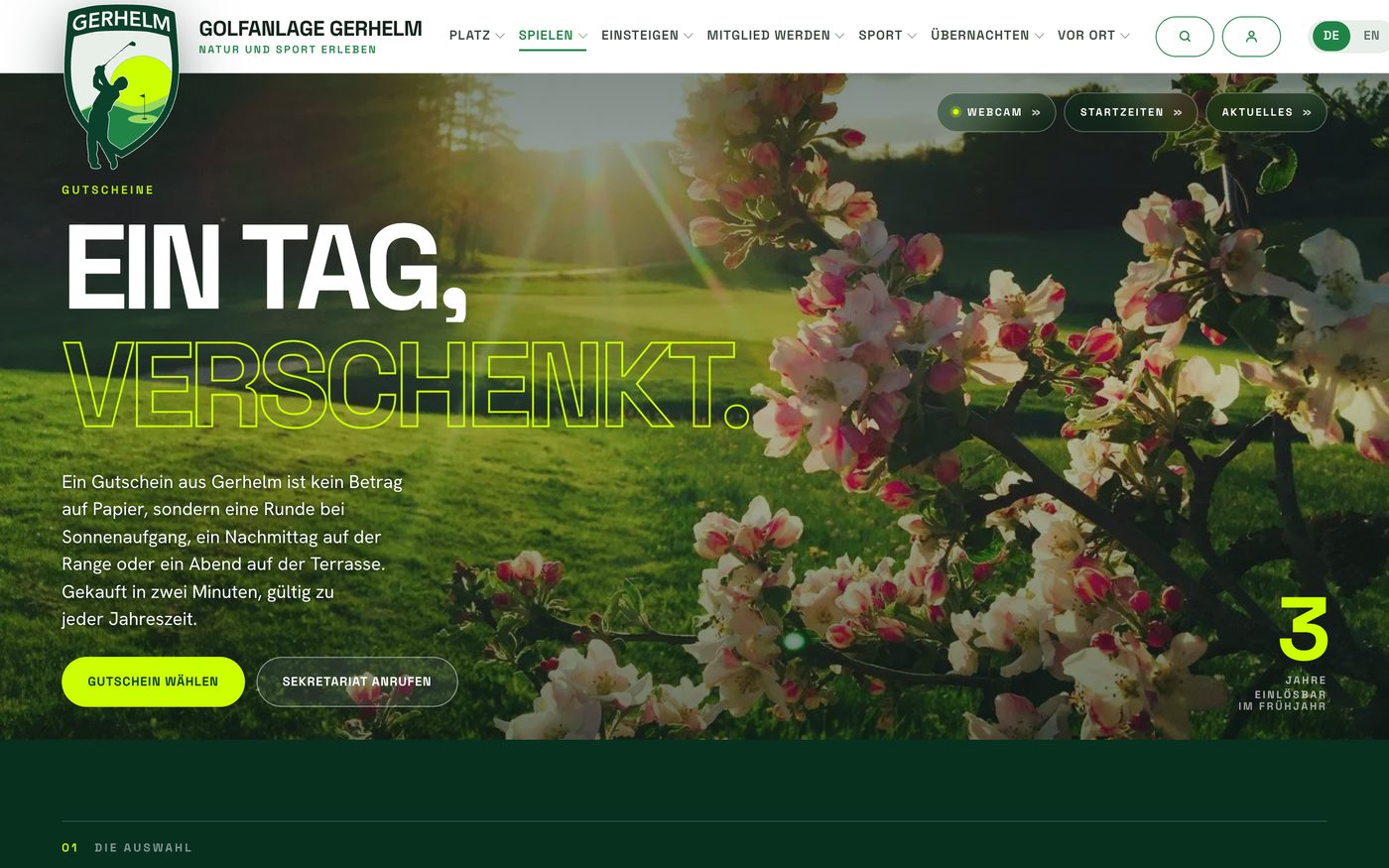
Voucher shop
Pick a voucher, PDF in the inbox within two minutes, redemption on the club’s own verification page. The structured data reports “out of stock” the moment a purchase would fail.
- PDF delivery
- verification page
- honest markup
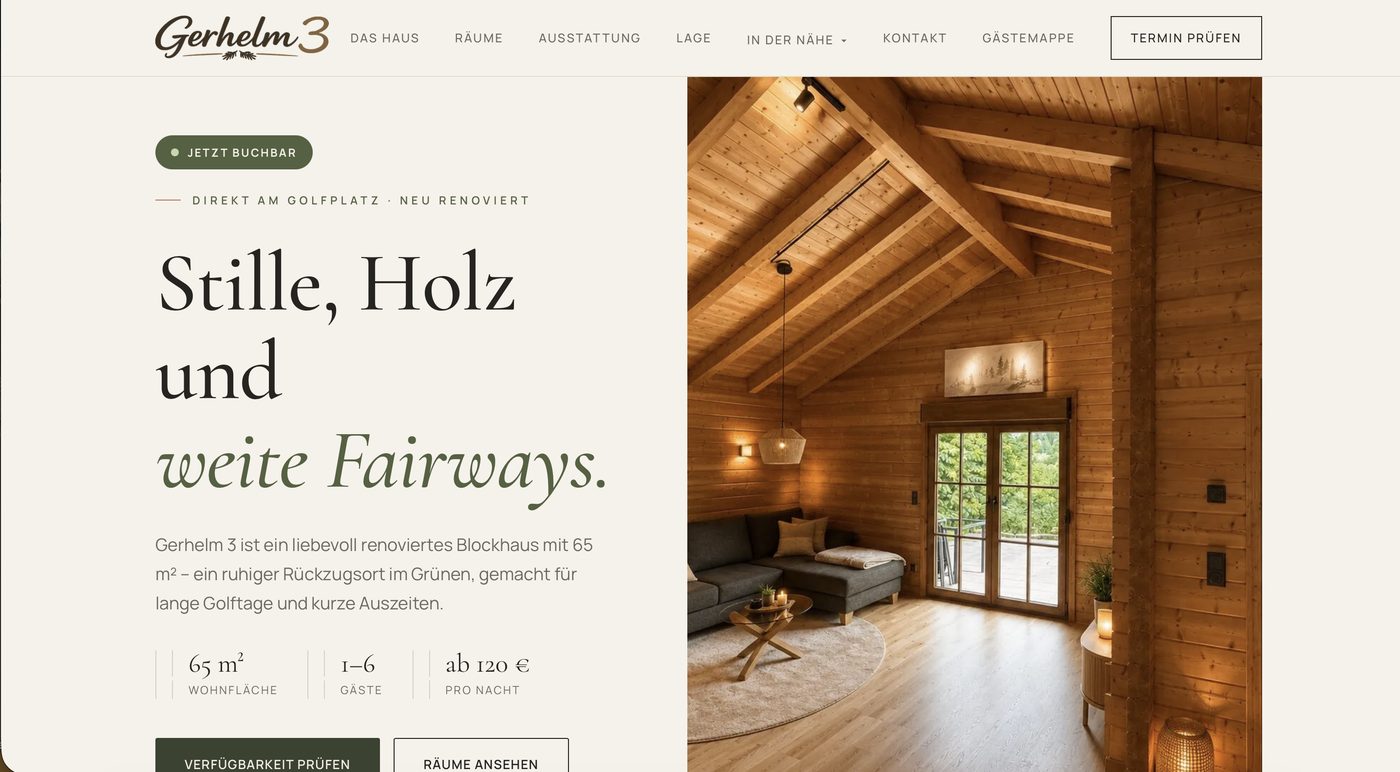
blockhaus.gerhelm.de
Staying at the course: holiday letting with iCal reconciliation against the portals and automatic review requests.
- iCal
- journal
- mail automation
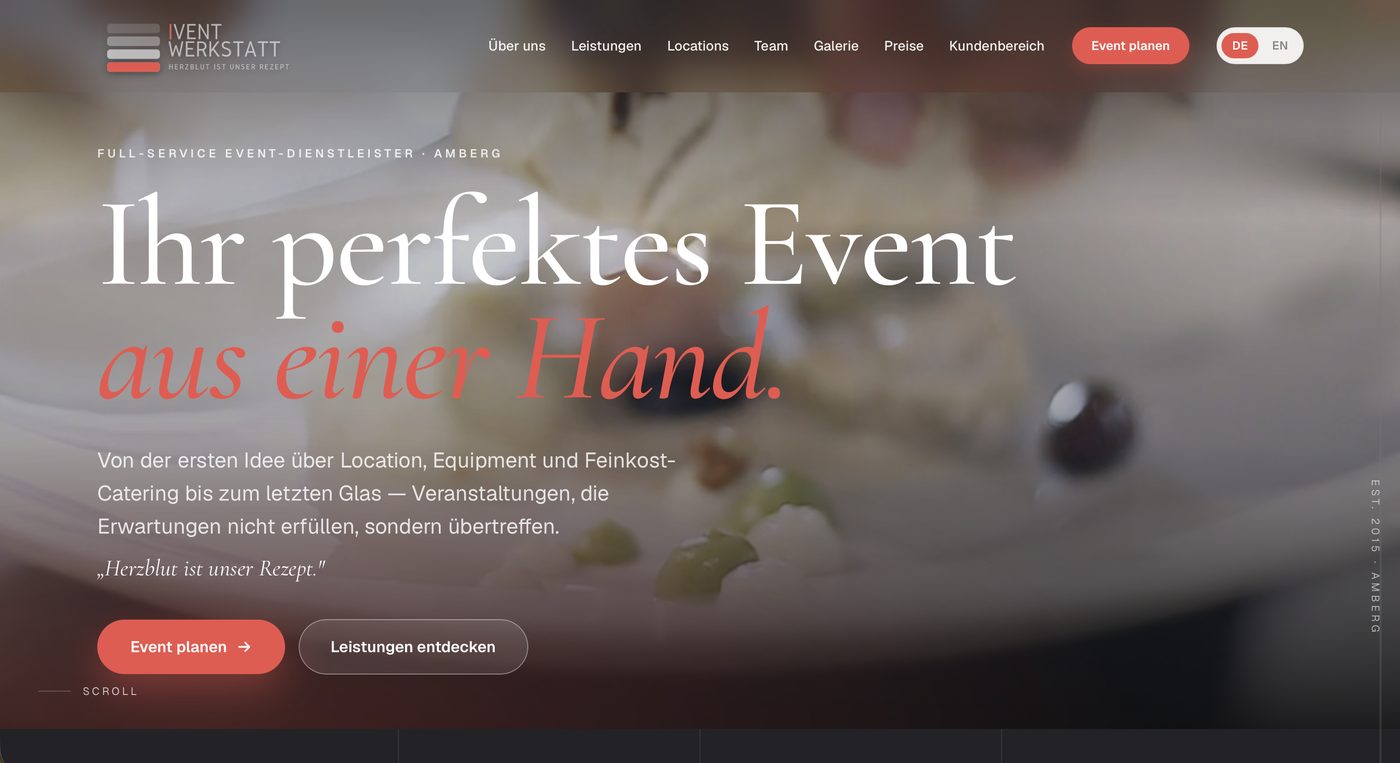
iventwerkstatt.de
Website of an event company, bilingual, with services, locations, prices, gallery and a customer area with inbox. Enquiries and date approvals run through the site.
- bilingual
- customer area
- enquiry path
Operation
Operation, not a project.
A website is finished the day it goes live. A system never is. So our work doesn’t end at handover: the PC CADDIE mirror runs every night, backups run at night, match-day reports write themselves, the translation backlog gets worked down. If you need us, you reach us.
- Set-up
- fixed price €9,500 net
- Operation
- from the third year, €1,000 a year
- Operation, first two years
- to follow
- Other providers
- up to €3,000 a year
- PC CADDIE mirror
- every night
- Backups
- nightly
- Match-day reports
- automatic, as soon as the federation publishes
- Availability
- commitment to follow
Individual, at a fixed price.
No site builder, no licence per module. We build on the club’s routines as they are: from the dues run to the match-day report, with the responsibilities that exist. Set-up at a fixed price of €9,500 net. Operation from the third year for €1,000 a year. Comparable offers cost up to €3,000 a year.
Clubkontor market comparison, Sep 2026Measured, not believed.
In one of our own audits, a supposed 760 KB on the wire turned out to be 50 KB. The real weight of the page was the photos. We corrected the report, shrank the photos and measured again. That is how we treat our own claims.
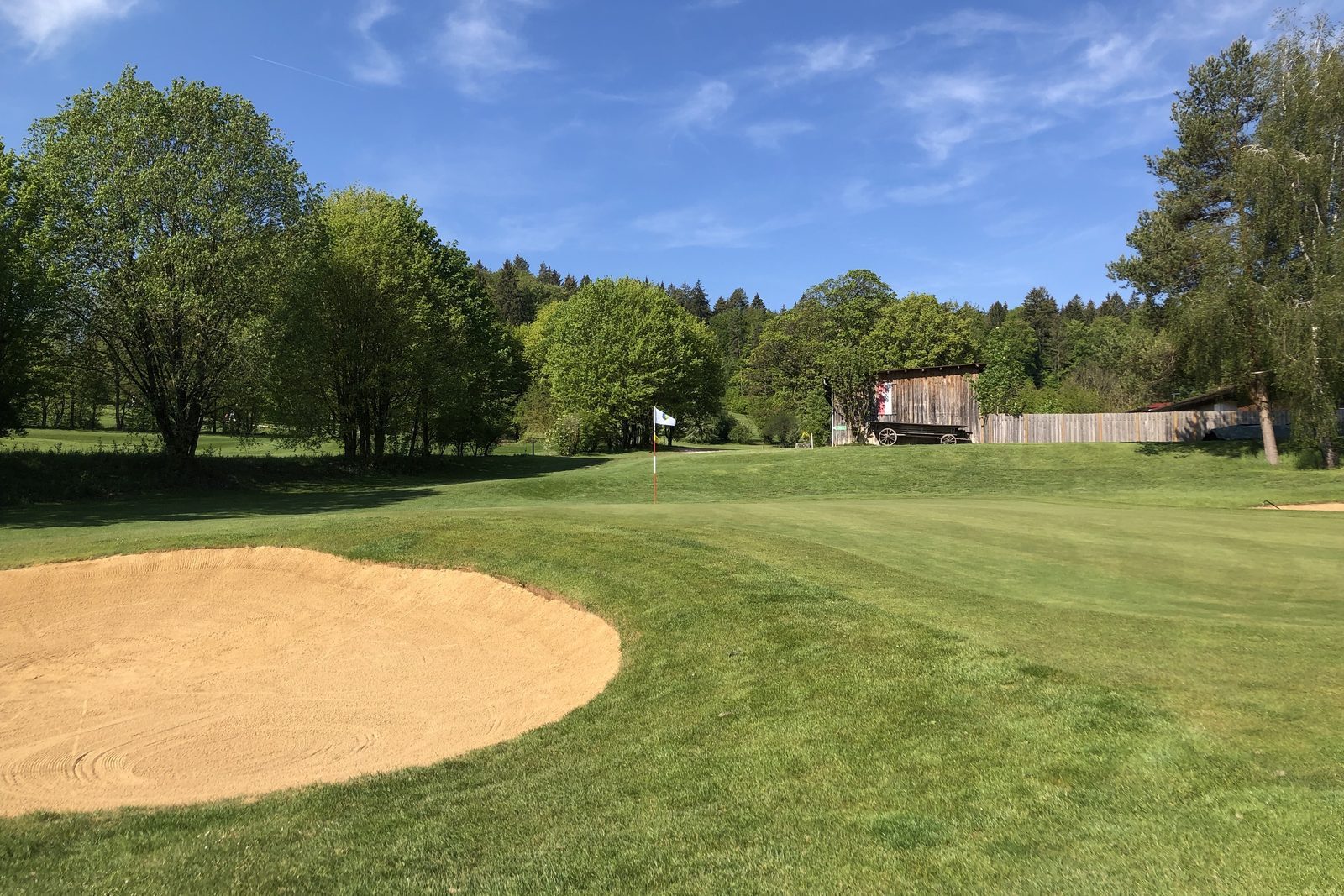
Holing out
Tell us what gets typed twice at your club.
We reply with a proposed date. No form, no questionnaire.